I made a little module for creating bezier paths. The conventions of programming I use may be a littlebit unfamiliar/obscure to you. I'm not going to change that

.
BEZIERPATH_Create( void *function, var precision )
Creates a new bezier path. function will be called when the path is drawn, and a VECTOR* is given through for you to do something with (like a draw_line function). var point and var part are also given to function, which are the bezierpoint number and segment number (relative to the bezierpoint) resp.
precision gives the precision of the path drawn (e.g. amount of segments between two points) in the form of (1/precision).
BEZIERPATH_Add( BEZIERPATH *bp, VECTOR *pos, VECTOR *outgoing, VECTOR *incomming )
Adds a new bezierpoint to bezierpath bp. The point has position pos, an outgoing and an incomming control point (both relative to its position).
BEZIERPATH_Draw( BEZIERPATH *bp )
Draws the bezierpath bp (and calls the function given in BEZIERPATH_Create [precision*total_bezierpoints] times)
About beziers:
Beziers are curved lines from A to B, angling towards a set of control points. I chosed 2 control points per curve in this module, but I might update it to a user defined amount.
Read more about it here:
http://en.wikipedia.org/wiki/B%C3%A9zier_curve It is handy to draw nice curved paths, splines, anticipate autopilot direction of your spaceship and many other things. I'm sure you see the possibilities

. Beware though that because I use vector functions, which are fueled by "var" elements, the precision is not very well. At 0.01 precision (100 segments between A and B ) you can clearly see rounding errors. I tried floats but that just makes your CPU go nuts
. Any suggestions are welcome.
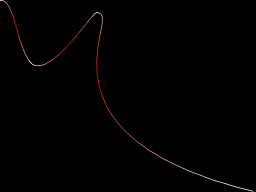
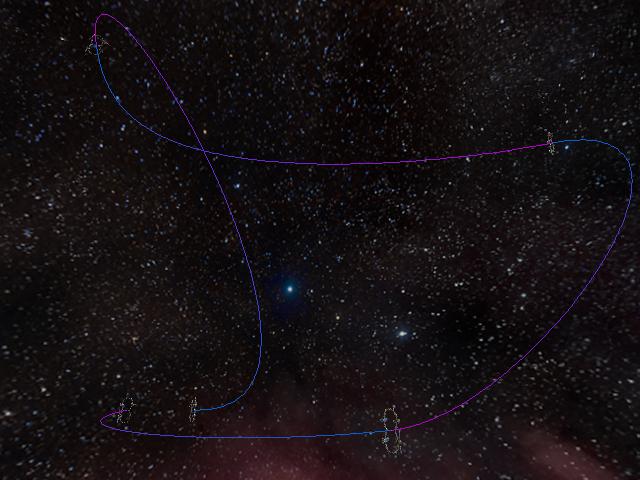 Download code here
Let me know if it is easy to use, or things are confusing somewhere.
Regards,
Joozey








