Now I'm back at home and ready for some cups of coffee - and so many posts, nice..

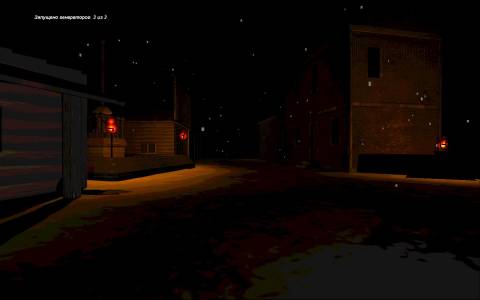
Well, after I drank something I will start writing. After I finished the scene shown above has been finished without flaws during rendering I was so excited and afraid that I had to post it here. Be sure, I will finish the tutorial, but I must test some things out also as I regarded in my second post this morning.
btw @ ello and others: I had no problems downloading it, I had a speed of 70 kb/s and it went until it has been finished. Perhaps use a download manager. I Used the free "Download Them All" download plugin for mozilla firefox.
Some technical notes/aspects:
- my solution has been aproved in realtime, so the shot above isnt photoshopped. As I test out other abilities with other geometry (models e.g.) I will document it here to show it to you.
- the application to the surfaces is done through a mesh data overlaying technique. Since the current version of A6 doesnt support multiple skins, we are still limited in lightmap page size. We cant use multiple lightmap pages now for the applied triangles, perhaps this changes with the next version update. But remember: the shot above uses only a 512x512 lightmap page which stored the lightmap information not organized enough. The ground is just a two polygon rectangle which causes the lightmap processor to generate a fairly big lightmap. If I had tesselated it more to fit with the road the lighted tris would have been more distributed over the lightmap page.
- all aplied lights are static and can cause shadows/caustics/reflections/radiosity on each deliverd polygon that stands for the geometry which is used. That means that if you apply a lightmap to a model in your scene this model should be static. Though I will describe which animations are nevertheless possible and how you do it.
- The applied lightmap doesnt change an entity ambient as it is currently done for now within WED lightmaps. But I have an idea in mind how you could do it.. but this is not top priority. Will use scripting.
- I saw an option in LightMapMaker (LMM) which allows to save the texture in combination with the lightmap, the so called texture baking (only for models which dont use smae texels for different surfaces). Since I only successfully done it with block geometry which used tiling textures I believe textured models (UV mesh texturing) could do it and radiosity calculation has a far more better image quality because LMM uses the also the texture data to generate it (otherwise if the surfaces are plain, then youve got radiosity calculated on a basis of material reflection).
- I mentioned that this method is fast. This statement is only allowed, if you will use all techniques and guidelines I mention in my article. But this is same with everything relating programming and 3d graphics as you may have experienced. I could imagine that not so experienced users will cause bad framedrops, but this is not expected very well.
- I DO NOT APPLY THE LIGHTMAP INTO THE WMB FILE. Just to avoid misunderstandings.
- You can do lightning animation which isnt able with the WED lightmapper. You will be able to save different lightmaps for a mesh. Imagine a fire and you generate 4 lightmaps of a scene and in each setting the origin light is moved a bit around so that the casted shadows change a bit. You will be switch through the lightmaps so that you create some kind of lightmap animation.
- I also thought about overlay sprite shadow casting. It isnt avaiable really.. since LMM uses only solid meshwork, but I will test a workaround to get an approximation to a solid overlay sprite shadow cast.
So... now I get up, drink some coffee, eat a bit and return to my desktop to start writing.
Ciao and thanks for the replies.
Avoid flaming. I dont like it in my threads, ok?
Cowabunga!
sincerely, Christian
[EDIT]
For those who are interested, here is cropped picture of the lightmap which is used here. You may notice that I edited it so that jaggy lines are smooth and overall pixelated stuff gets a bit smoother. As I said, this lightmap isnt very well organized, I try to figure it out better next time I post something in this thread.






 , here is what I got:


