|
1 registered members (EW_bytes),
11,444
guests, and 7
spiders. |
|
Key:
Admin,
Global Mod,
Mod
|
|
|
 Re: Working radiosity! all editions! no shaders!
[Re: ello]
#60106
12/07/05 16:05
12/07/05 16:05
|
Joined: Jul 2001
Posts: 6,904
HeelX
 OP
Senior Expert
|
OP
Senior Expert
Joined: Jul 2001
Posts: 6,904
|
Back at home now. I need to test out modelbased scenes.. perhaps someone has a small scene which is build up of one or two models with texture applied for me for testing purposes. No too high poly please. Otherwise I have to do it on my own and as you can see in a week I have not that much time. You know.. 8 hours at work, transfer to home and then you have to sleep also  My first version of the tutorial will cover the basics to shade a level bases upon blocks since I was not able to test it very well with models. Perhaps I will find some time the next days. I assume always a high level of quality of my writings especially when it comes to embedded media like screenshots, etc.
|
|
|
Re: Working radiosity! all editions! no shaders!
[Re: HeelX]
#60108
12/07/05 21:17
12/07/05 21:17
|
Anonymous
Unregistered
|
Anonymous
Unregistered
|
I've provided a zip file for those who don't want to download an RAR extrator. Lightmap Maker in ZIP format
|
|
|
Re: Working radiosity! all editions! no shaders!
[Re: Loopix]
#60109
12/07/05 22:48
12/07/05 22:48
|
Joined: Jul 2001
Posts: 6,904
HeelX
OP
Senior Expert
|
OP
Senior Expert
Joined: Jul 2001
Posts: 6,904
|
Quote:
Woahhh...HeelX...keep it coming! I appreciate this kind of experiments extremely! Can't wait to get my hands on it...hopefully this technique will be as workflow-friendly as it is FPS-friendly!
Yeah, I like this also I mean, when others do so. I wrote recently full 4 pages DIN A4 and I plan not to make a tutorial just with few lines and crappy screenshots. I add also some other information and small introductions. Beginners will read the whole document, Pros will start perhaps after page 1.5 yet I will also go in one of my sub-chapters deeper into the GUI of LMM since it is very very BAD designed (shame on you WindsSoft!)
Two things I will mention previusly: the FPS depends on how tricky you design your map. You can create a quick level which is slower than a good map with dozens more details, you know, portals, surfaces with render=none and so on. If you kept up a good geometry, the lightmap will increase its resolution by chance (most times) and the overlayed mesh will be more precise. Also the complexity is important on how much render-flow is spent for the rendering of the lightmap.
My tutorial will turn into a full lenth feature because I want say on enlighten more than just the raw steps. I will attach to it screenshots, and perhaps flash animations which will be created by WINK, a freeware for tutorials. Thanks, sorcerer.
The article covers every aspect of illuminating a blockbased level. As I said I have at the moment no time to spend on creating a pure model based scene, so this will appended later. When the next version of A6 comes out before I finish my article (I dont expect this  ) I just have to test out if more than one lightmap pages are avaiable. If so, I have to rewrite some parts.
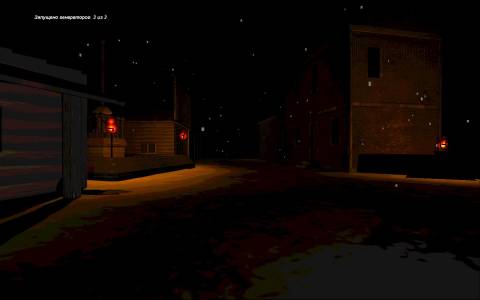
So... to give you some more material, here is the lightmap page for the city scene (see above):

I investigated Acknex Unlimited, but there were no model sceneries. So I will try out some of the block based things from there. Perhaps I will have a look into single models and terrains as well, but who knows. I expect that I can show new examples only by chance tomorrow if I don't play soccer with my friends but thats fun and I need this beside working *puh*, if so I can briefly do something on friday, so perhaps saturday and/or sunday evening. But I'm often here, so, I'm open for questions.
Christian Behrenberg
Last edited by HeelX; 12/07/05 22:51.
|
|
|
Re: Working radiosity! all editions! no shaders!
[Re: William]
#60112
12/08/05 18:39
12/08/05 18:39
|
Joined: Jul 2001
Posts: 6,904
HeelX
OP
Senior Expert
|
OP
Senior Expert
Joined: Jul 2001
Posts: 6,904
|
Quote:
(..) Infact, a quick version of lightmapping for this would to be just painting right on the base texture. Of course models with tiling textures is not possible until some changes are made with the .mdl format from what I've been told(requesting a second set of UV coordinates).
I don't get it  This isnt texture baking, and yes when you use it you cant use tiling textures in those models. THOUGH, its possible in some way with a plugin of milkshape and it already is able to use with A6: click here to jump to the thread whereas I mentioned how to apply tiled texture on models
Second set of uv coordinates? You mean that you can load *.asc uv meshes at runtime? This is already doable with vec_for_uv (VECTOR*, ENTITY*, var number); and vec_to_uv (VECTOR*, ENTITY*, var number); You need now to write a fileparser to read out that data from an asc file, it should be easy since it is only an ascii text file with the needed data.
BACK TO TOPIC
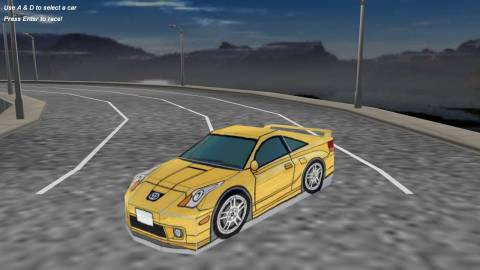
The cubescene from the beginning hasnt been changed anymore, but I wasnt able to test it out with my own project code because of runtime errors which I troubleshooted today. So I was able to drive through my test-track and here are two shots. The article is growing... perhaps I release it on sunday.


ciao
Christian
|
|
|
Re: Working radiosity! all editions! no shaders!
[Re: HeelX]
#60113
12/09/05 02:51
12/09/05 02:51
|
Joined: Aug 2001
Posts: 2,320
Alberta, Canada
William
Expert
|
Expert
Joined: Aug 2001
Posts: 2,320
Alberta, Canada
|
Quote:
I don't get it This isnt texture baking, and yes when you use it you cant use tiling textures in those models. THOUGH, its possible in some way with a plugin of milkshape and it already is able to use with A6: click here to jump to the thread whereas I mentioned how to apply tiled texture on models
Yea, I understand it's not texture baking as it's applied to level geometery. Texture baking takes the models uv map and flattens it while applying lighting, you can keep this new texture as one(and have a huge quality loss) or have the original and baked in 2 seperate mapping channels. What I meant above is that you can simply lightmap models by just painting on their basic UV map, which is what i'm doing right now. The method in the thread you shown wouldn't work as and alternative(for lightmap on tiling textures) as the uv map is still overlapping...
Quote:
Second set of uv coordinates? You mean that you can load *.asc uv meshes at runtime? This is already doable with vec_for_uv (VECTOR*, ENTITY*, var number); and vec_to_uv (VECTOR*, ENTITY*, var number); You need now to write a fileparser to read out that data from an asc file, it should be easy since it is only an ascii text file with the needed data.
I never looked into these commands as I thought it was just a replacement for the old my.u and my.v commands. Would you be able to have 2 sets of different uv coordinates for a model using this(one for the texture, second a flattened uv map for the lighting)? There would have to be 2 textures using 2 coordinate sets applied to the model at the same time... or, did you mean just swapping only one set of uv coordinates? I think the .mdl format can only have 1 uv map at a time, but perhaps you know of a way to apply the second set of coordinates in a shader?
Thanks in advance for the info, please keep up the great work.
|
|
|
|